
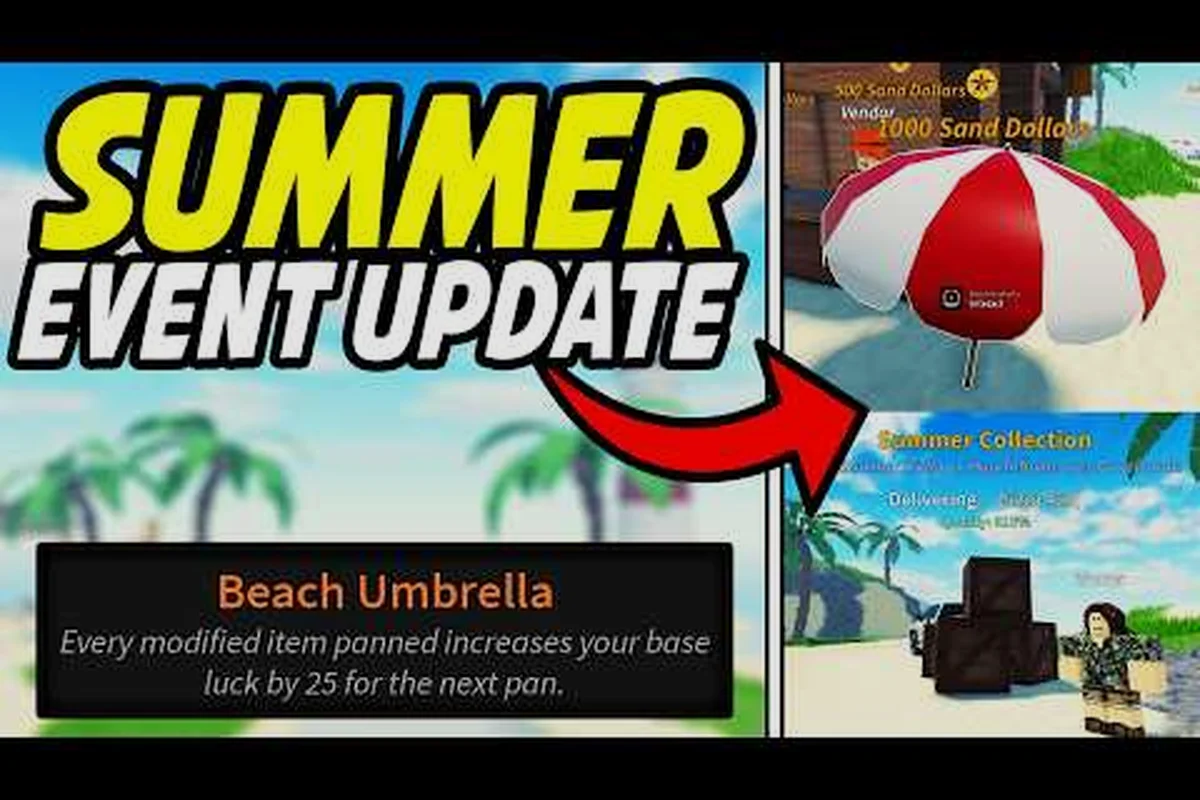
Capitalize on developer events with this Prospecting admin abuse guide, explaining rare item spawns, boosted drop rates, and server event timings.
What Prospecting Admin Abuse Actually Means in the Roblox Mining Sim
If you have spent any time in the official Prospecting game on Roblox, you have probably seen a wave of players suddenly sprint to the same island, dropping their usual digging rhythm to chase a notification about "Admin Abuse" popping up in chat. The phrase confuses a lot of newcomers because it sounds like a rule violation, but in this title it is actually a positive term: Prospecting admin abuse is a developer-triggered event window where the dev team personally logs in and spawns rare resources, boosts drop rates, and occasionally warps the in-game weather for everyone in the server. Understanding prospecting admin abuse is the single fastest way to jump from mid-game panning to museum-quality fossil hauls without grinding for weeks, because the loot table during these windows is dramatically skewed toward items that almost never appear under normal conditions.
This guide covers everything a player needs to know about the mechanic in 2026: what qualifies as admin abuse, how the event timing actually works, what kind of boosted drops players can expect, and how to position yourself before the next window opens. The information here is built from community testing, the Prospecting wiki's Events Guide, and player-shared session logs on YouTube.
How Prospecting Admin Abuse Works Under the Hood
The Definition: A Dev-Run Session, Not a Cheat
According to the Prospecting wiki's Events entry, "some events are manually initiated by the developers during predetermined times called Admin Abuse." That single sentence clears up most of the confusion: admin abuse is a sanctioned, scripted event category, not an exploit. When a developer enters a public server and uses elevated commands to spawn resources or modify rates, the community labels that window an admin abuse session.
The reason it is called "abuse" at all is internal Roblox jargon. Studio developers can spawn objects, change luck multipliers, and teleport players using elevated permission that regular accounts cannot access. When the dev "abuses" those permissions in a public-facing way to give back to the community, the chat quickly fills with "ADMIN ABUSE!" messages, and the label stuck. So the phrase is really a community nickname for dev-spawned Prospecting admin events.
What Changes During the Window
During an active admin abuse session, several things shift at once. First, rare resource nodes — gems, fossils, and high-tier ores — spawn at rates the normal game loop does not allow. Second, the developer often opens a public queue or drops a marker item so the entire server can converge on a specific dig site. Third, certain in-game luck multipliers appear to be temporarily boosted, which the wiki notes is the underlying mechanic that controls rare drop probability across all of Prospecting. Each point of luck rerolls a number, with the lowest value used as the final result, so any spike in luck during the abuse window cascades into a much better chance at top-tier items.
| Mechanic | Normal Session | Admin Abuse Window |
|---|---|---|
| Rare gem spawn rate | Standard, time-gated | Spike every few minutes |
| Fossil node appearance | Rare, location-locked | Forced spawns at marker sites |
| Luck multiplier | Server default | Briefly elevated by dev commands |
| Public server access | Always open | Open, often with a queue cap |
| Loot table | Base + event modifiers | Base + dev-injected drops |
Why the Devs Run Them
Admin events serve three real purposes. They let the team stress-test new content under live conditions, they give returning players a reason to log in, and they generate the kind of community clip that drives organic growth. The dual-purpose nature means the events often double as soft launches for upcoming features, so paying attention during one window can give you a preview of fossils or tools that will be patched into the live game a week later.
Prospecting Admin Abuse Times: When to Show Up
The Saturday and Weekend Pattern
The most consistent pattern reported by players, and visible across the public Prospecting Dev events videos on YouTube, is a strong bias toward Saturday sessions, with secondary windows on Sunday and Friday evenings. The channel OhBloxx regularly titles their clips with start times like "AA starts 10:45AM EST Saturday," which has become a soft community calendar. EST timing is worth memorizing because most Prospecting admin events are announced in the developer's home time zone, and the in-game server clock is often left on UTC.
| Day | Frequency (reported) | Typical Start Window (EST) | Common Duration |
|---|---|---|---|
| Saturday | Highest | 10:00 AM – 2:00 PM | 30–60 minutes |
| Sunday | Moderate | 12:00 PM – 6:00 PM | 20–45 minutes |
| Friday evening | Occasional | 7:00 PM – 11:00 PM | 20–40 minutes |
| Weekday | Rare, holiday-tied | Varies | 15–30 minutes |
How Timing Is Announced
Admin abuse windows are not announced through a structured in-game calendar. The developer typically posts a heads-up in the official group or the in-game chat 5 to 15 minutes before going live, then spawns a visible server marker once active. Community-run Discord servers often scrape those announcements and forward them, which is why the most reliable prep step is to be parked in the official group and watching a community relay channel before the expected window.
Why the Times Drift
The times are not pinned to a fixed cron job. They are run by hand, so a developer can decide at 9 AM that they want to run a session at noon, and the only signal you get is the late-breaking chat post. That drift is part of the design: it rewards players who are already online when the announcement drops rather than players who schedule their entire day around a specific minute. For a fuller look at how the timing slots interact with the broader event roster, the Events Guide maps out how admin abuse lines up alongside weather events and double-luck weekends.
What to Expect During a Live Admin Abuse Session
The Opening Minutes
The first two minutes of any admin abuse window are chaotic. A server-wide notification usually fires, players teleport en masse to whatever marker the dev has placed, and the rare-spawn cap of the area gets eaten through almost instantly. New players often lose the entire opening because they do not know where to stand, so learning the standard marker pattern ahead of time matters more than having the best pan equipped.
The dev usually spawns a glowing item — often a placeholder mesh or a known high-tier fossil — at a fixed point. That is your queue to sprint. By the time you finish reading the chat message, the best loot is already gone.
The Mid-Session Loot Table
Once the initial rush settles, the session enters a steady state where the dev periodically injects new resources. The loot table in this phase skews toward items that are normally locked behind long location rotations or high luck requirements, including rare-tier gemstones, museum-class fossils, and the occasional craftable that has not yet been added to the public wiki.
| Loot Category | Normal Rarity | Mid-Session Rarity | Typical Drop Behavior |
|---|---|---|---|
| Common gems | Frequent | Frequent | Background filler |
| Rare gems | ~1 in 500 pans | ~1 in 50 pans | Stacks quickly |
| Fossils | Location-locked | Forced spawns | Often server-wide |
| High-tier craftables | RNG-gated | Often injected | Single spawn, contested |
| Currency boosts | Standard | Doubled windows | Tied to dev commands |
The Closing Phase
The final five minutes of a session usually involve the dev dropping one or two "thank you" items for the lobby. These are sometimes unreleased cosmetics, sometimes high-volume currency bundles, and occasionally a server-wide multiplier that carries over for a short window after the dev leaves. Most players miss these because they assume the event is over the moment the developer stops actively spawning things. Logging out late is often more valuable than logging in early, because the carryover bonuses are the part that takes the longest to actually pull.
Preparing for the Next Prospecting Admin Event
Pre-Session Checklist
The most important prep is done before the window opens. The standard approach among veteran players is to clear inventory space, repair or upgrade the current pan and shovel, queue into a moderately populated public server, and bind a teleport macro to the most common marker spawns. Prospecting's pans and shovels have tier-specific behaviors, and running an admin abuse session with a starter pan is one of the most common mistakes that locks new players out of the rare drops even when they are standing in the right place.
| Prep Step | Why It Matters | Time Required |
|---|---|---|
| Clear inventory | Rare drops have no stack cap during abuse | 2–3 minutes |
| Upgrade pan tier | Higher tiers surface rarer loot from the same node | 5–10 minutes |
| Pre-stage at Caldera | Most fossil spawns land here | 3–5 minutes |
| Join official group | Real-time announcement channel | 1 minute |
| Watch community relay | Redundancy if group chat is silent | Passive |
Pan and Shovel Loadout
For an admin abuse window, the highest-tier pan and shovel a player owns should be equipped. The game's crafting system is built around the luck mechanic, and each point of luck rerolls the quality number, so a higher-tier pan rerolls on a better base. Craftables can also be reforged to reroll quality, with the subsequent reforge costing more currency, which makes an admin abuse window a great place to reforge an item you have been holding: if the reroll goes well, the bonus persists; if not, the loss is small compared to the volume of loot you are pulling.
The Paleontologist NPC on Caldera Island exists specifically to help players turn bone fragments into museum pieces, and during an admin session the bone spawn rate is dramatically elevated. Players who pre-buy the better pans from the in-game shop, reforge them to the current luck ceiling, and then teleport to the marker as soon as it spawns consistently outperform players who try to grind up their gear in real time during the event.
Positioning and Server Choice
Server choice is the easiest variable to optimize. Smaller servers see fewer contested spawns, but they also see fewer forced injections, because the dev's spawn commands sometimes scale to player count. The sweet spot reported across player logs is a server with 8 to 14 players online, which balances the contested-versus-injected rate well. Joining a full 20-player server is usually a mistake: the marker spawns are eaten within seconds, and the rare fossil nodes are gone before the announcement even finishes typing.
Prospecting Global Events vs. Admin Abuse
Where They Overlap
Prospecting global events are the broader umbrella: weather shifts, double-luck weekends, and content patches all fall into this category. Admin abuse is one specific type of global event, the developer-driven one. Players often conflate the two because they both involve rate boosts and rare drops, but the source of the boost is different. Global events are coded into the game and run on a schedule, while admin abuse is a manual override.
| Feature | Admin Abuse | Coded Global Event |
|---|---|---|
| Triggered by | Developer account | Server-side schedule |
| Timing | Manual, weekend-heavy | Fixed, in-game calendar |
| Loot skew | Extreme | Moderate |
| Announcement | Chat + group post | In-game banner |
| Carryover bonus | Sometimes | Usually none |
Why Both Matter
The reason players should track both categories is that the highest-value windows are when they overlap. If a double-luck weekend happens to coincide with a scheduled admin abuse session, the stacked multipliers can produce drop rates that look broken compared to a normal day. These overlap windows are usually telegraphed a few days in advance through the official group, and they are the single best opportunity to push a fresh account into the late-game fossil economy.
Reading the Community Signal Around Prospecting Dev Events
Where the Real-Time Info Lives
The single most reliable real-time source is the official Roblox group linked from the Prospecting game page. The dev team almost always posts a countdown or a "starting in 10" message there, because the group is the only place that pushes notifications to every member at once. After that, community-run Discords and a few active YouTube creators act as secondary relays. Creators like kaden and OhBloxx have built small followings specifically around posting Prospecting admin abuse times, and their clips often capture the announcement minute, so skimming the recent uploads of any Prospecting-focused channel a few hours before the expected window is a low-effort way to catch a last-minute schedule shift.
Common Misreads
Three misreads come up often enough to call out directly. First, "admin abuse" is not a cheat and will not get a player banned; it is a sanctioned event, and trying to report it is wasted effort. Second, the schedule is not pinned to a fixed timezone; EST is the most common reference, but server announcements can arrive in any timezone the active developer lives in. Third, the session does not end the moment the developer logs out; the carryover window often produces the rarest drops of the day.
For more strategies and details, explore our Recent Updates.
Frequently Asked Questions
What is Prospecting admin abuse?
Prospecting admin abuse is a community nickname for developer-triggered event sessions where a member of the dev team logs into a public server, spawns rare resources, and temporarily boosts luck multipliers. It is a sanctioned event, not an exploit, and it usually lasts 20 to 60 minutes.
When do Prospecting admin abuse times usually start?
The highest-frequency Prospecting admin abuse times are Saturday mornings and early afternoons in EST, with secondary windows on Sunday and Friday evenings. Exact minutes are not fixed because the dev team triggers the sessions manually, so the most reliable prep is to monitor the official Roblox group 5 to 15 minutes before the expected window.
How is admin abuse different from regular Prospecting global events?
Prospecting global events cover the full umbrella of server-side boosts, including weather shifts and double-luck weekends, while admin abuse is the specific subset triggered by a developer using elevated commands. Global events run on a coded schedule; admin abuse sessions are hand-started, and the loot skew during them is usually much sharper.
What should I equip before a Prospecting admin event?
Equip the highest-tier pan and shovel you own, clear inventory space for rare drops, and consider reforging a craftable you have been holding, because the elevated luck multiplier during the session improves the odds of a quality reroll. Pre-staging on Caldera Island is also a common choice because fossil spawns concentrate there during abuse windows.
Can I trigger a Prospecting admin abuse session myself?
No. Only members of the dev team with elevated Roblox Studio permissions can start one. Players who try to fake the announcement in chat usually get removed quickly, and there is no in-game command or item a regular player can use to force a dev to log in.