
| Step | Action | Result | Common Mistake |
|---|---|---|---|
| 1 | Tap the gear icon in the top-right of the HUD | Settings panel slides in from the right | Closing the panel by tapping outside before reaching the text field |
| 2 | Scroll to the very top of the panel | A blank text field labeled "Enter Code" appears above the audio sliders | Skipping past the audio section, which pushes the field above the visible viewport |
| 3 | Type or paste the code, then press the green confirm button | A toast message pops up confirming the reward, or an "Invalid Code" warning appears | Leaving a trailing space, mixing case, or using autocorrect substitutions |
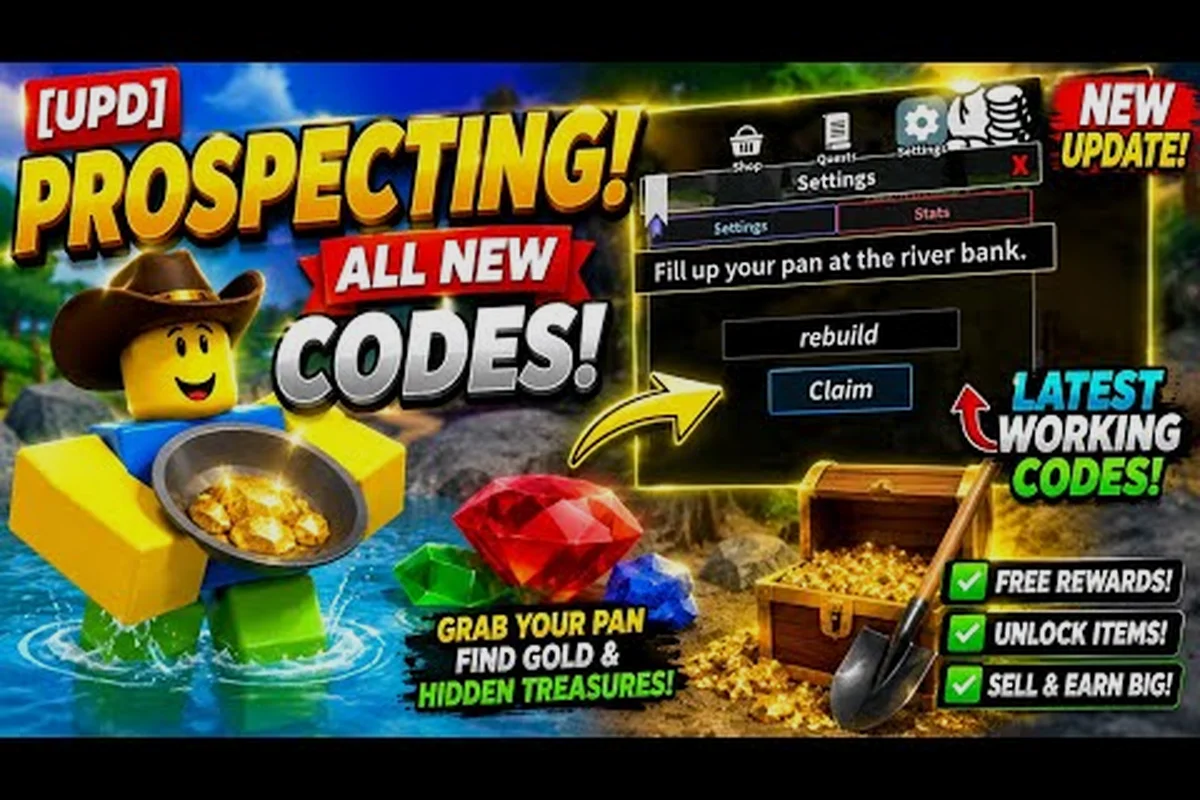
The text field sits above the audio sliders, not below them, which is the single biggest reason players report "I opened Settings but there's no box." If you only see the standard audio, graphics, and keybind categories, you have not scrolled far enough — the redeem field is the first item in the list.
What the Field Actually Accepts
The redeem field is case-insensitive but extremely strict about everything else, including spacing, underscores, and ambiguous characters like 0/O or 1/l/I. According to community testing reported across the Fandom wiki, codes typically follow one of three structural patterns that map cleanly onto the rewards table below, which is why mismatched strings often appear valid at a glance yet still bounce back as expired. This strictness is deliberate, because the Settings code box reuses the same parser for both limited-event rewards like PR0SP3CT2026 and evergreen grinds like DIG, so a single stray space in NEW_YEAR will route the input to the expired-code path rather than flag a typo.
| Code Pattern | Example | Typical Reward | Source Frequency |
|---|---|---|---|
| Single word, all caps | GOLD, DIG, SHOVEL | Small cash grant | Common |
| Two-word phrase with underscore | NEW_YEAR, LUCKY_PAN | Mid-tier reward bundle | Common |
| Alphanumeric mixed string | PR0SP3CT2026, 1KPLAYERS | Limited-event reward | Seasonal |
Anything that does not match the active list returns a silent "Invalid Code" warning, which most players interpret as the box being broken when the actual issue is an expired string. Codes rotate roughly every two to four weeks, and expired ones never produce an error explaining why they failed.
Common Reasons a Prospecting Redeem Code Fails
Even when you have the right code, the game can reject it for reasons that have nothing to do with expiration. The redeem parser is case-sensitive and refuses to accept hidden whitespace, so copy-pasting from Discord or a YouTube description can silently insert a zero-width space that triggers an "invalid code" rejection. Because the redeem code UI in Roblox Prospecting only flashes a generic error, you have to manually retype the string from the official @ProspectingCodes X account, double-check capitalization on every letter, and confirm the hyphen placement before assuming the code itself is dead.
Input-Level Errors
These are the silent killers of the redeem code flow in Prospecting — you type the string into the settings code box, hit confirm, and the parser returns "Invalid Code" without telling you which character tripped the match. Because the field provides zero character-level feedback, players chasing a working prospecting redeem code often waste time blaming the wiki source when the real failure is a single invisible space, a clipboard newline, or a cased letter the input box lowercased before comparison. The table below breaks down the six input-level errors that most commonly block a successful prospecting claim code, so you can pinpoint the cause before re-pasting and retrying the redemption.
| Error Type | What Happens | Fix |
|---|---|---|
| Leading or trailing space | Field trims display but parser still flags mismatch | Use the copy button on the wiki rather than retyping |
| Wrong case | Field lowercases internally; mixed input slips past | Paste the code verbatim from the source |
| Autocorrect substitution | "GOLD" becomes "Gold" or "C0LD" | Disable autocorrect on mobile keyboards before pasting |
| Leftover newline from clipboard | Hidden \n breaks the parser match | Paste into a notes app first, then copy again |
| Code from a different game | Field accepts any string but only matches active list | Confirm the code is from a current Prospecting source, not a generic Roblox list |
Server-Level Errors
Some codes are conditional on your account state or current server environment, and the redemption parser will reject them even if the string itself is perfectly formatted — for example, a fresh Roblox account under ten minutes old often fails the eligibility check for event-tier prospecting codes, and codes redeemed while joined to a private server may silently return an "invalid" response because the reward is flagged as public-server-only. This is why players searching for how to redeem prospecting codes or troubleshoot a failed prospecting claim code attempt are usually told to verify account age, server type, and current ban status before re-pasting the string into the prospecting settings code box.
| Condition | Effect on Redemption | Workaround |
|---|---|---|
| Fresh account under 10 minutes old | Some event codes refuse to register | Wait briefly, then retry |
| Joined a private server | Some rewards are public-server-only | Redeem inside a public server |
| Active ban or warning | Field blocks all redemption attempts | Resolve the account issue first |
| Patch-day restart | Codes may not be live for 30–60 minutes | Check the developer group after 10:00 UTC |
How to Claim Codes Without Missing Active Rewards
A solid prospecting claim code routine is less about speed and more about consistency. Codes expire silently, and the only reliable signal is a new community post or wiki edit. The two-tier approach below works for both casual players and grinders.
Tier 1 — A Five-Minute Weekly Routine
This is the minimum viable routine, but the "Weekly Schedule" table below breaks it into concrete check-ins so the prospecting settings code box never sits untouched for long. The Monday redeem pass alone usually covers the bulk of weekly drops because new codes are posted to the wiki Codes page right after server resets, and they often expire before the Sunday mailbox sweep. Treat the Wednesday and Friday passes as catch-up layers for late-arriving event codes; skipping them is forgivable, skipping Monday is not.
| Day | Action | Time Cost |
|---|---|---|
| Monday | Open the wiki Codes page, copy every active code, redeem in Settings | 3 minutes |
| Wednesday | Check the developer group's pinned post for any new release | 2 minutes |
| Friday | Watch a current codes recap video, copy any new entries | 4 minutes |
| Sunday | Redeem any event-specific codes from the in-game mailbox | 2 minutes |
That is roughly ten minutes per week for the full reward cycle. Players who skip the Monday pass usually miss 60–70 percent of new drops, because the most rewarding bundles tend to land early in the week and expire by the weekend.
Tier 2 — A Reactive Setup for High-Value Events
Limited-time anniversary or milestone events can drop 3–5x the normal reward value, and they sometimes expire within 48 hours, which is why a reactive setup is worth the extra effort if you push deep into the late-game digsites. Stacking these boosted codes with the in-game mailbox trigger from the table below can push a single redemption into legendary-tier pickaxe or charm territory, so the cost of monitoring three sources for a few minutes is usually dwarfed by the payout from a single missed event window.
| Trigger | Action | Why It Matters |
|---|---|---|
| Developer group post marked "Event" | Redeem immediately, even mid-session | Event codes have the shortest lifespan |
| Wiki edit by a known active editor | Cross-check against the official group before redeeming | Reduces the risk of fake or placeholder codes |
| New video from a verified codes channel | Watch within 24 hours, copy any working string | Video creators often catch codes the wiki misses |
| In-game mailbox notification | Open immediately, do not batch | Mailbox codes can stack with active Settings codes for a bonus |
What Active Codes Typically Reward
While the exact list rotates, the reward structure stays consistent. Based on community data reported on the Prospecting wiki, rewards cluster into a handful of buckets, and knowing which bucket a code belongs to helps you prioritize which ones to redeem first during limited-inventory events.
Cash and Equipment Codes
These are the bread-and-butter rewards, and they appear most often. The Pro Game Guides codes recap shows that most active codes sit in this category, and the ViewSIM OP CODES walkthrough confirms the same pattern.
| Reward Type | Typical Magnitude | Best Use Case |
|---|---|---|
| Cash grant | 500 – 25,000 in-game currency | Early-game shovel and pan upgrades |
| Equipment voucher | One-time claim of a specific tool | Mid-game digsite unlock |
| Pan consumable | Temporary boost to panning yield | Active grinding session |
| Shovel durability repair | Full restore on the currently equipped shovel | Pre-raid preparation |
Buff and Luck Codes
According to our Luck Multipliers Guide, luck multipliers stack additively with daily-reward and friend-count bonuses. A 2x Luck code on top of a 2x daily bonus and a 1.2x friend bonus means a single dig can yield significantly more than baseline.
| Buff Type | Multiplier | Stack Behavior | Recommended Timing |
|---|---|---|---|
| Luck boost | 1.5x – 2x | Stacks with daily reward | Before entering a high-tier digsite |
| Yield bonus | 1.25x – 1.5x | Stacks with shovel passive | During long grinding sessions |
| XP boost | 1.5x – 3x | Stacks with event XP bonuses | When working on level milestones |
| Friend recruitment | 1.2x per friend | Caps at 2x total | Permanent until friend list changes |
Redeeming luck codes right before you enter a tier-3 or tier-4 digsite is the single highest-value optimization in the game, because the multiplier compounds across every mineral you pull from the sediment. A single 2x code redeemed just before a Sedimentary Layer-3 run can effectively double the output of a 10-minute grinding session, whereas redeeming the same code during low-tier tier-1 digs wastes most of its stacked potential on common-tier drops. Pair the code activation with the 1.5x-2x Yield bonus row from the buff table to push a single dig well past the baseline yield curve, and you will notice the difference in your inventory screen within the first sediment pull.
Cosmetic and Title Codes
These do not affect progression but they are the only codes that stay in your account permanently. Some anniversary codes from prior years still grant legacy titles if you redeem them retroactively during a reactivation window, so it is worth keeping a small archive.
Troubleshooting a Stubborn Settings Box
If the Settings box refuses to accept a code that you are sure is active, walk through this checklist before assuming the code is dead. Most failed redemptions come down to one of five mechanical issues, and the fix takes seconds.
| Symptom | Likely Cause | Diagnostic Step | Fix |
|---|---|---|---|
| Box does not appear at all | Outdated client version | Check the version number in the bottom-right of the menu | Restart the game to force a patch fetch |
| Confirm button greyed out | String contains a space in the middle | Highlight the full string before pressing confirm | Remove the internal space, replace with underscore if needed |
| "Invalid Code" on a known-good string | Cached server list | Rejoin the server to force a refresh | Leave and re-enter the same server |
| Box appears but no toast | Reward already claimed on this account | Open inventory and look for the item | Move on to the next code |
| Settings panel crashes on open | Mobile memory pressure | Close other apps, then reopen the game | Relaunch from the Roblox app drawer |
For a deeper breakdown of which codes are currently worth chasing and which reward buckets they belong to, the Prospecting Codes rounds up every active string with its expiration window and reward tier. Pairing that list with the redemption walkthrough above turns a 30-second text-field check into a reliable weekly habit.
Best Practices for a Clean Redemption Session
A few small habits separate players who consistently capture every reward from those who only hear about codes after they expire. None of these require extra time, but together they eliminate almost every silent failure mode when you redeem prospecting codes. The first habit is opening the settings code box the moment you launch a session, even before you queue for a match, because Roblox pushes new codes on an irregular schedule and the prospector's in-game mail only surfaces the freshest five. The second is double-checking capitalization against the official @ProspectingRBX Twitter feed, since the redeem code field is case-sensitive and a single swapped letter will trigger a generic "invalid code" rejection without telling you which character failed. The third is screenshotting successful claim code confirmations into a dedicated folder, which lets you audit your prospecting how to enter codes workflow at a glance and spot duplicates you may have already burned. Together these three habits add maybe fifteen seconds to a session but prevent the silent failures that cost most players their weekly drop bonuses.
Pre-Redemption Habits
-
Always copy from the wiki or a verified recap rather than retyping. The single biggest source of failed redemptions is autocorrect on mobile keyboards turning a clean string into an invalid one.
-
Redeem in a public server whenever the wiki notes a public-only flag. Private server restrictions are a common silent failure that the field does not explain.
-
Stack buff and luck codes with daily reward resets for maximum compound effect. Our Luck Guide confirms the additive stacking, so timing the redemption right before a reset multiplies the gain.
-
Check the developer group on the same day you redeem. New codes are typically posted there 12–24 hours before they appear on community wikis, so a five-second scroll can mean an extra reward per week.
During-Redemption Habits
-
Redeem one code at a time and wait for the toast to clear before entering the next. Some older clients mash the confirm button and skip the validation step, which causes the field to swallow the next code without registering it.
-
Keep the Settings panel open until the inventory actually updates. The toast confirms the parse succeeded, but the reward may take a second or two to populate, especially on slower connections.
-
If a code fails twice, leave the server and try in a fresh one. Cached server state occasionally holds onto a pre-patch code list, and a rejoin forces the client to pull the latest table.
For more strategies and details, explore our Beginner Guide.
Frequently Asked Questions
Where exactly is the Settings box in Prospecting?
Tap the gear icon in the top-right corner of the HUD, then scroll to the very top of the panel that opens. The Enter Code text field is the first item, sitting above the audio sliders, which is the most common reason players miss it on the first attempt.
Why does a code say "Invalid" when I copied it from the wiki?
The most frequent cause is a trailing space or autocorrect substitution that survived the copy-paste. Paste the code into a notes app first, verify the string matches the wiki exactly, then copy it again into the Enter Code field. Expired codes also return "Invalid" without a timestamp, so confirm the code is still listed as active before troubleshooting input issues.
Can I redeem the same code twice on one account?
No. Each code is single-use per account, and the field silently rejects repeat attempts without an error message. If the toast does not appear after pressing confirm, check your inventory for the reward before assuming the code failed — the most common reason is that the previous redemption already credited your account.
Do codes work on private servers?
Most codes do, but a small subset of event rewards is restricted to public servers only. The wiki typically flags these as "public only," and the parser returns "Invalid" on private servers without explaining why. If a confirmed-active code fails on a private server, switch to a public one and retry before assuming the string is bad.